
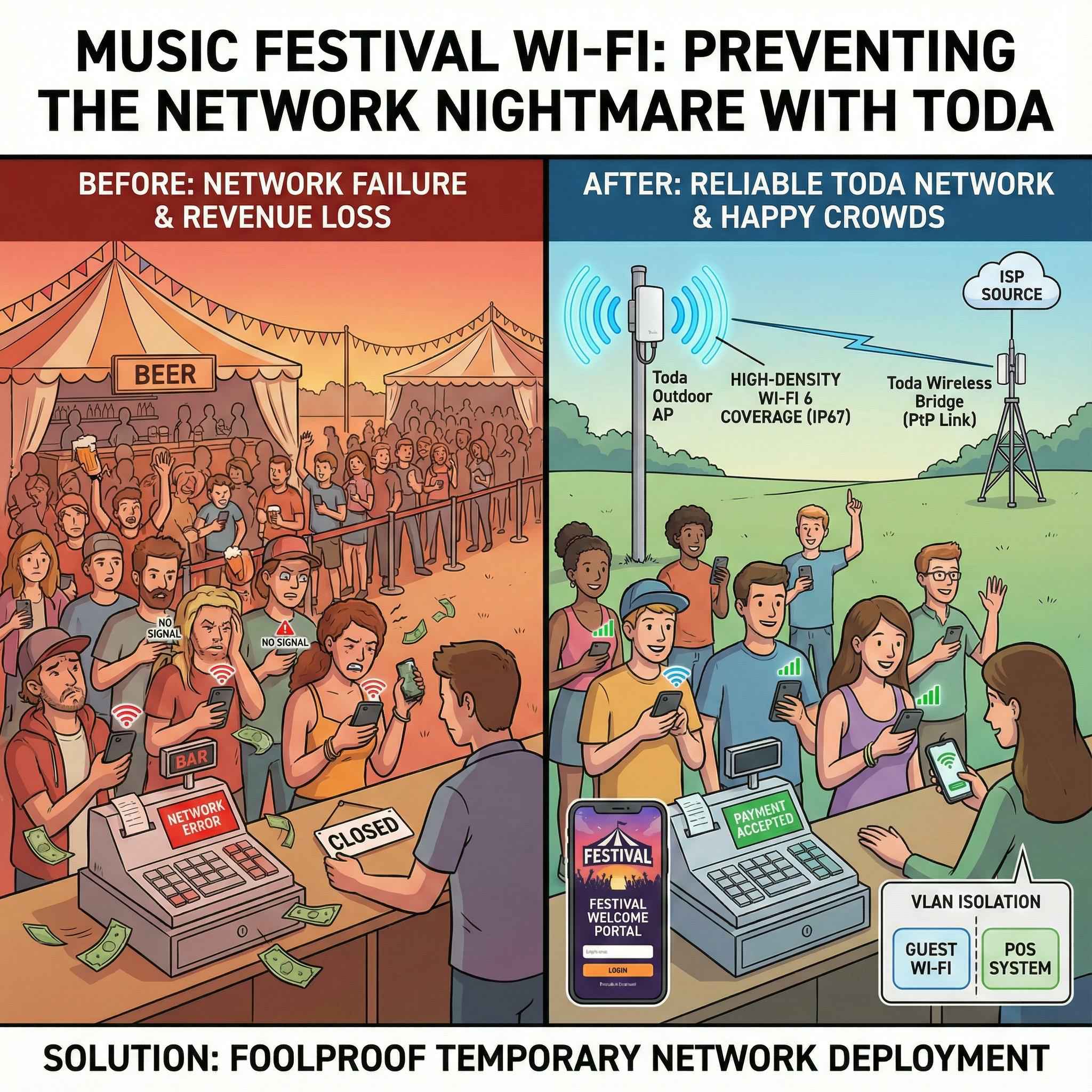
Every music festival organizer faces a nightmarish scenario: beer tents are packed with people, music is deafening, but the cash registers are paralyzed by a network outage. The crowds stop moving, and thousands of dollars in revenue are lost within minutes.
Setting up Wi-Fi for outdoor events—whether it’s a music festival, a food truck market, or a company trade show—is completely different from wiring an office.
You typically don’t have readily available infrastructure, you’re exposed to rain and dust, and there are thousands of other people trying to upload Instagram stories simultaneously.
This is a practical guide for event production companies and network rental experts on how to deploy foolproof temporary networks using Toda hardware.
Step 1: The Backhaul Link (“The Invisible Cable”)
The biggest challenge for music festival venues (like parks or farms) is getting the internet signal from the main ISP access point to the heart of the event. You can’t dig trenches and lay fiber optic cables for a three-day event.
The Solution: Wireless Bridge (CPE)
No cables need to be laid; internet signals can be transmitted over the air using the Toda 5GHz Wireless Bridge.
-
Point-to-Point (PtP): A “Master” bridge is set up at the ISP source (e.g., a field office), and a “Slave” bridge is set up on a pole near the main stage. Our remote bridges can transmit gigabit speeds over 5 kilometers within line of sight.
-
Rapid Deployment: It can be installed on a tripod or lighting truss and aligned within 10 minutes.
Step 2: High-Density Coverage (Capacity > Range)
A common mistake is buying a “long-range” router and assuming it will cover everyone. At music festivals, capacity is more important than range. If 500 people try to connect to the same access point (AP) at the same time, a regular router will crash.
The Solution: Toda High-Density Outdoor APs
-
Go with Wi-Fi 6: Use our AX3000 Outdoor AP. Wi-Fi 6 is crucial here because it uses OFDMA technology, which is significantly more effective at handling network congestion than older Wi-Fi 5 models.
-
Sector Antennas: Instead of using omnidirectional antennas (360° coverage), use sector antennas to divide the crowd into different zones. For example, place separate APs for the food court, stage, and entrance. This reduces interference and increases speed.
-
Rugged and Durable: All Toda outdoor equipment is IP67 rated. Your network will continue to operate even in torrential rain or on muddy terrain.
Step 3: Monetization and Management
You’re providing free Wi-Fi to attendees—why not get something in return? Using a Toda AC Controller or Cloud Management Gateway, you can turn the network into a marketing tool.
-
The Captive Portal: Set up a branded welcome page. Require users to enter their email address or “Like” a social media page to access the internet. This builds a valuable database for next year’s ticket sales.
-
Bandwidth Control: Limit each user’s bandwidth to 5Mbps. This ensures that one person downloading a movie won’t kill the speed for everyone else.
-
VLAN Isolation (Critical): Place your POS systems and staff Wi-Fi in a hidden, high-priority VLAN. Place visitors in a separate, lower-priority VLAN. This ensures payment processing never fails, even if the guest network is full.
The Hardware Checklist for Renters
If you are building rental kits for your event business, here are the essential items we recommend stocking up on:
-
Core Gateway: Toda Multi-WAN Router (Load balance between Starlink and 5G/LTE connections for redundancy).
-
Distribution: Wireless Bridges (CPE) to replace long Ethernet runs.
-
Access: Wi-Fi 6 Outdoor APs (Mountable on tripods).
-
Power: Toda Industrial PoE Switches (To power the APs and security cameras).
In Conclusion
Temporary networks require permanent reliability. You only have one chance to get it right.
Toda provides rugged, high-performance equipment trusted by event professionals. From wireless bridges that bring the signal in, to access points that serve the crowd, we offer comprehensive support.
Planning an event season? Contact us to learn about pricing for our “Event Rental Starter Kit,” which includes our best-selling wireless bridges and outdoor APs.
[Get a Quote for Event Hardware]
Post time: Dec-27-2025


