
The network is stable during ordinary operation but several devices fail to reconnect after a site-wide restart. One possible cause is a protection threshold set below the legitimate startup burst. A storm-control setting that looks conservative on an idle network can become disruptive at the moment recovery matters most.
Storm control limits selected traffic according to the platform's classification, measurement and action rules. The same displayed number can mean very different rates on different interfaces or devices. Begin by understanding those rules, then use observed application traffic to choose and test the policy.
Identify exactly what is being limited
Check whether the setting applies to broadcast, multicast, unknown unicast or another documented category. Known unicast and unknown unicast are not interchangeable terms, and multicast may include traffic essential to the application.
Determine whether categories are counted separately or together and where the measurement occurs. Read the exact model's documentation rather than assuming that another vendor's familiar menu label has the same scope.
Cisco's storm-control configuration guide illustrates the role of traffic classes, thresholds and suppression behavior. Its settings and implementation limits are platform-specific, so use it as a conceptual reference rather than a ready-made configuration for another switch.
Translate the threshold unit before comparing settings
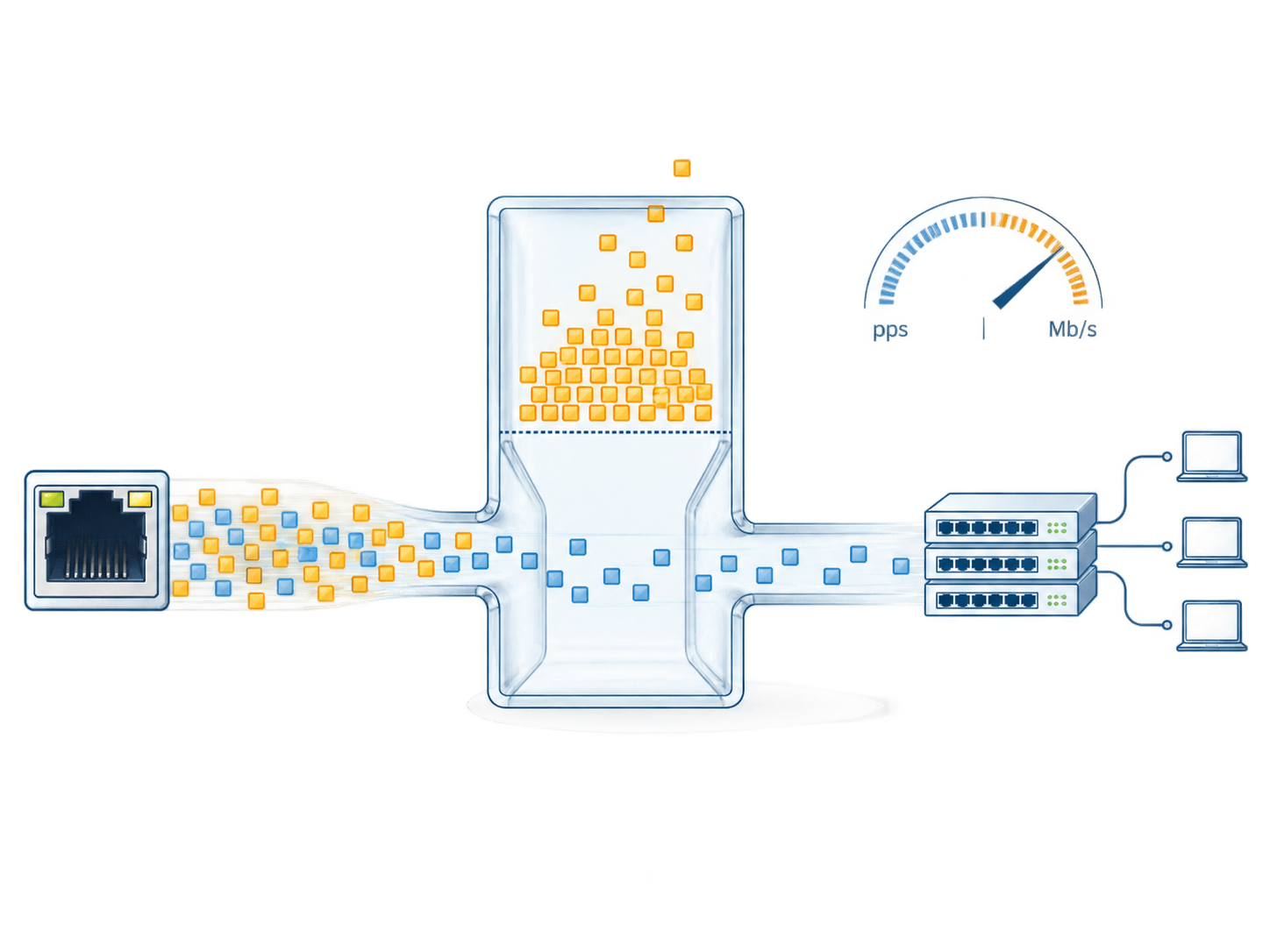
If a threshold is expressed as a percentage of interface bandwidth, the interface speed changes its nominal meaning. One percent of 1 Gb/s is 10 Mb/s, while one percent of 100 Mb/s is 1 Mb/s. Those are arithmetic illustrations; the actual hardware's accounting and enforcement granularity still need confirmation.
A packets-per-second threshold measures a different quantity. At an illustrative 1,000 packets per second, 100-byte packets account for 0.8 Mb/s of those counted bytes, while 1,000-byte packets account for 8 Mb/s. On-wire overhead and the switch's definition of counted length can change the relationship.
That difference matters when a small-packet control workload is compared with larger media packets. A setting copied from another port can impose a substantially different practical limit, even when both ports show the same number.
Average traffic is not enough to choose the limit
Observe the network during the states that create legitimate bursts: startup, address resolution, discovery, multicast joins, topology changes and application reconnection. Identify which of those events fall into the traffic class being controlled.
Use a measurement interval that can reveal the relevant pattern. A long average can smooth away a short burst that the switch's enforcement interval treats differently. Obtain the device's interval and threshold behavior where documented, including any burst allowance or rounding.
Keep the traffic evidence tied to the configuration and workload. A baseline from five connected devices is not automatically suitable after expansion to fifty. A new firmware version or application mode can also change discovery and recovery behavior.
Choose the action as carefully as the threshold
Depending on the implementation, an event may suppress selected traffic, raise an alarm, disable a port or combine actions. These outcomes have different service consequences. A port shutdown can affect all traffic on that port even if the trigger concerned one class.
Define what should happen after the event. Does forwarding recover when the rate drops below a documented level? Is there a separate falling threshold? Does an operator have to restore a disabled port? If automatic recovery is enabled, what prevents a persistent fault from repeatedly cycling the connection?
The accepted policy should answer those questions in operational terms. An alarm that nobody receives does not provide the same protection as a monitored event with a response procedure. A shutdown policy without an accessible recovery method can prolong the outage it was intended to contain.
Review ports according to their roles
| Port role | Traffic to understand | Threshold review concern |
|---|---|---|
| Direct endpoint | Its ordinary, startup and fault behavior | A narrow baseline may miss valid recovery bursts |
| Downstream access switch | Aggregate traffic from several endpoints | A copied endpoint threshold can be too restrictive |
| Multicast receiver path | Required media groups and control exchanges | Essential multicast must remain usable |
| Redundant uplink | Traffic before and after a path change | The surviving path can carry a larger load |
| Temporary maintenance connection | Expected tools and discovery activity | Short-term work should follow an approved port policy |
Avoid one universal value for every interface unless the design evidence supports it. Port-role consistency is more useful than numerical uniformity.
Validate both the healthy and abnormal cases
In a controlled test, run the legitimate workload through startup and reconnection. Confirm that required services succeed without unexpected suppression or shutdown. Observe the applicable counters and events, not just whether the link remains up.
Then exercise an approved abnormal traffic case in an isolated or appropriately controlled environment. Verify the intended action and the effect on unaffected services. Record the traffic class, rate pattern, timing and recovery result.
Do not generate a storm on a production network merely to see whether a checkbox works. The test environment and injection method should match the site's approved process. A representative pilot can establish behavior before a policy is rolled out widely.
If a threshold event occurs during normal service, investigate the source and pattern before raising the limit. The cause may be legitimate expansion, a misconfigured endpoint or an unintended Layer 2 loop. Those cases need different corrections.
Keep loop prevention and membership management in place
Storm control is a supporting protection, not a replacement for a loop-free topology. A loop can continue causing disruption even when selected traffic is suppressed. Review the underlying cabling and spanning-tree or ring design when the evidence points there.
Similarly, unwanted multicast distribution may require a membership and querier investigation. Tightening a multicast threshold can mask flooding while also damaging the receivers that need the stream. Correct the forwarding design and then validate the rate policy against the resulting traffic.
The goal is to contain abnormal behavior while preserving the accepted application. That requires both a sound network design and an appropriately tested protective response.
Document the reason for each deployed value
For a TODAHIKA managed-switch selection, request the supported traffic classes, threshold units, measurement behavior, event visibility and recovery controls for the exact model. Include the port roles and critical startup requirements with the inquiry.
Keep the chosen settings with the baseline observations and test results. State what change triggers review: more endpoints, a new multicast service, an uplink-speed change or a revised recovery sequence. That record lets the next engineer adjust the policy deliberately instead of inheriting an unexplained number that may no longer fit the network.
Post time: Sep-01-2026


