
The most dreaded phone call for system integrators is: “The outdoor Wi-Fi is down again.”
Intermittent connectivity issues are far more difficult to resolve than devices failing completely. For example, a wireless access point might disconnect after working for an hour, or it might work fine during the day but fail at night.
Before you brave the rain to climb a ladder to replace the hardware, please read this. At Toda, our engineering team analyzes returned products from all over the world. Surprisingly, 80% of the “faulty” products we test are actually working perfectly. The problem usually lies in the installation environment.
Here are 5 practical reasons why outdoor APs become unstable, and how to solve them.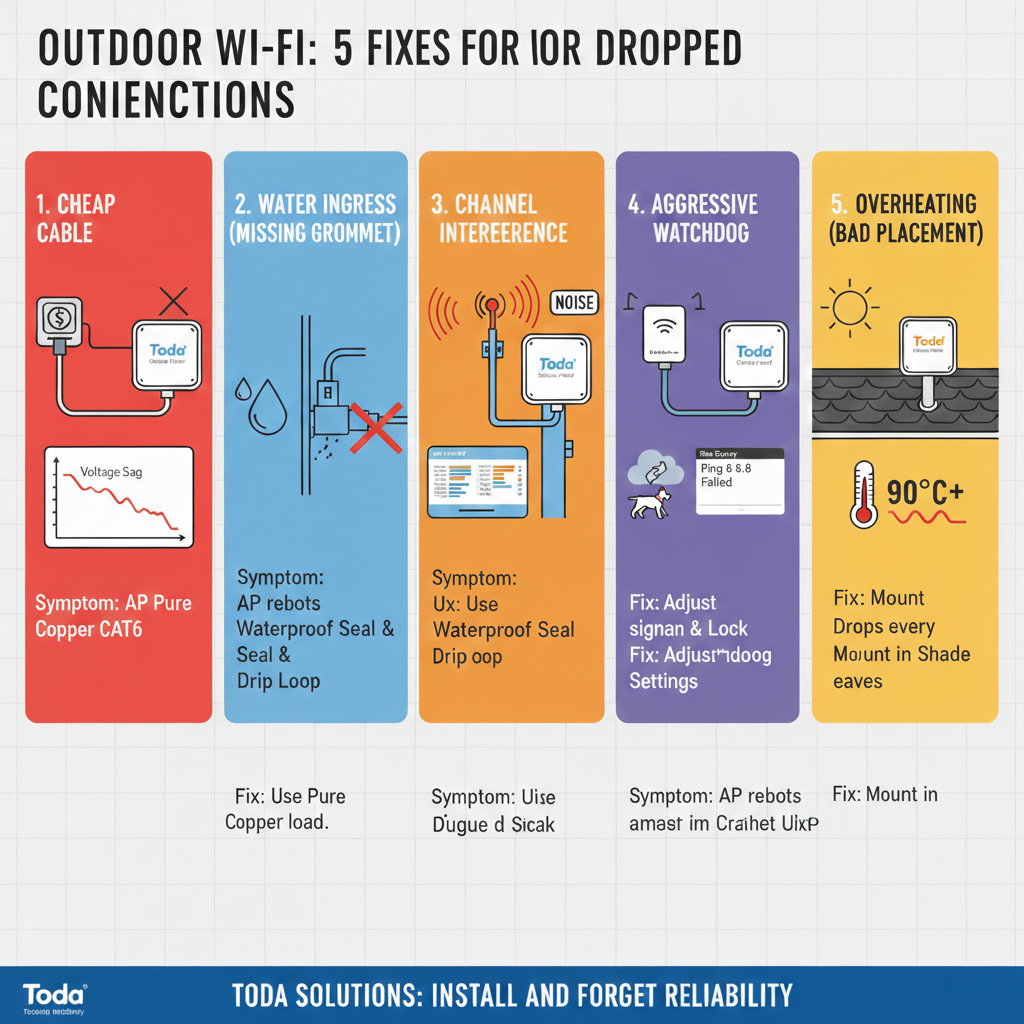
1. The “Cheap Cable” Trap (Voltage Drop)
This is the number one killer of outdoor networks. You might be using a standard CAT5e network cable that extends 80 meters from the roof.
-
The Physics: Ethernet cables have resistance. If inexpensive Copper-Clad Aluminum (CCA) cables are used instead of pure copper cables, the voltage will drop significantly as the transmission distance increases.
-
The Symptoms: The AP powers on (indicator light is on), but once a user starts downloading data, power consumption spikes, voltage drops below the threshold, and the AP restarts. It looks like “signal loss,” but it’s actually a “power failure.”
-
The Solution: For cabling exceeding 30 meters, be sure to use Pure Copper CAT6 cables.
2. Water Ingress (Missing Gasket)
Outdoor wireless access points like Toda’s are IP67 rated, meaning they are waterproof. However, the connection points are vulnerable. We often see installers forgetting to tighten the rubber waterproof connectors around the Ethernet cables.
-
The Symptoms: Moisture seeps into the RJ45 port, causing a short circuit between pins. Link speed may drop from 1000Mbps to 10Mbps, or the connection may become unstable on damp mornings.
-
The Solution: Always use the waterproof kit provided in the Toda box. Additionally, before the cable enters the device, bend it into a U-shape (forming a “drip loop”). This ensures water drips off the cable rather than flowing into the connector.
3. Channel Interference (“Noisy Neighbors”)
If you mount the AP on a pole that already has three other wireless devices (from other ISPs or security cameras) installed, it will create a “noise floor” problem.
-
The Symptoms: Strong signal (full bars), but throughput is close to zero. Users can connect to the network but cannot load webpages.
-
The Solution:
-
Log in to the Toda Web GUI.
-
Use the built-in “Site Survey” tool to scan the environment.
-
Lock your wireless access point to the least congested channel. Never set it to “Auto” in high-interference areas.
-
4. The “Too Aggressive” Watchdog
Many industrial-grade wireless access points (including Toda products) have a feature called Ping Watchdog. This tool continuously pings a target address (such as Google DNS 8.8.8.8) to check network connectivity. If the ping fails, it restarts the device to “save” the connection.
-
The Problem: If the internet connection itself is unstable (e.g., the ISP’s line flickers), Watchdog will assume the AP is frozen and restart it every 5 minutes.
-
The Solution: Check your Watchdog settings. Increase the “failure count” or “interval”. Alternatively, set the ping target to your local gateway (router) instead of the internet to check if the device itself is actually frozen.
5. Overheating (Improper Placement)
Electronic components are sensitive to heat. Although Toda’s outdoor AP is designed to operate at temperatures up to 70°C, direct sunlight combined with a black asphalt roof can still cause the internal temperature to exceed 90°C.
-
The Symptoms: The network works normally in the morning, but it disconnects around 2:00 PM every day.
-
The Solution: Install the wireless access point under the eaves or in the shade of a utility pole whenever possible. If it must be installed in direct sunlight, ensure it is not in contact with hot metal surfaces.
Conclusion: Hardware Matters
Troubleshooting is costly. The cost of a single on-site service call can exceed the profit margin of a cheap router.
That’s why Toda focuses on reliability that means “no worries after installation”:
-
Each box contains a high-quality waterproof sealing ring.
-
Our PoE circuit design features a wider voltage tolerance range, enabling it to handle longer cable runs.
-
Our firmware includes a visual Site Survey tool to help you diagnose interference immediately.
Tired of frequently replacing faulty devices? Consider choosing a brand that understands outdoor environments. Contact Toda to request samples of our rugged and durable Outdoor Wi-Fi 6 series.
[Contact Customer Service / Request a Sample]
Post time: Jan-23-2026


