
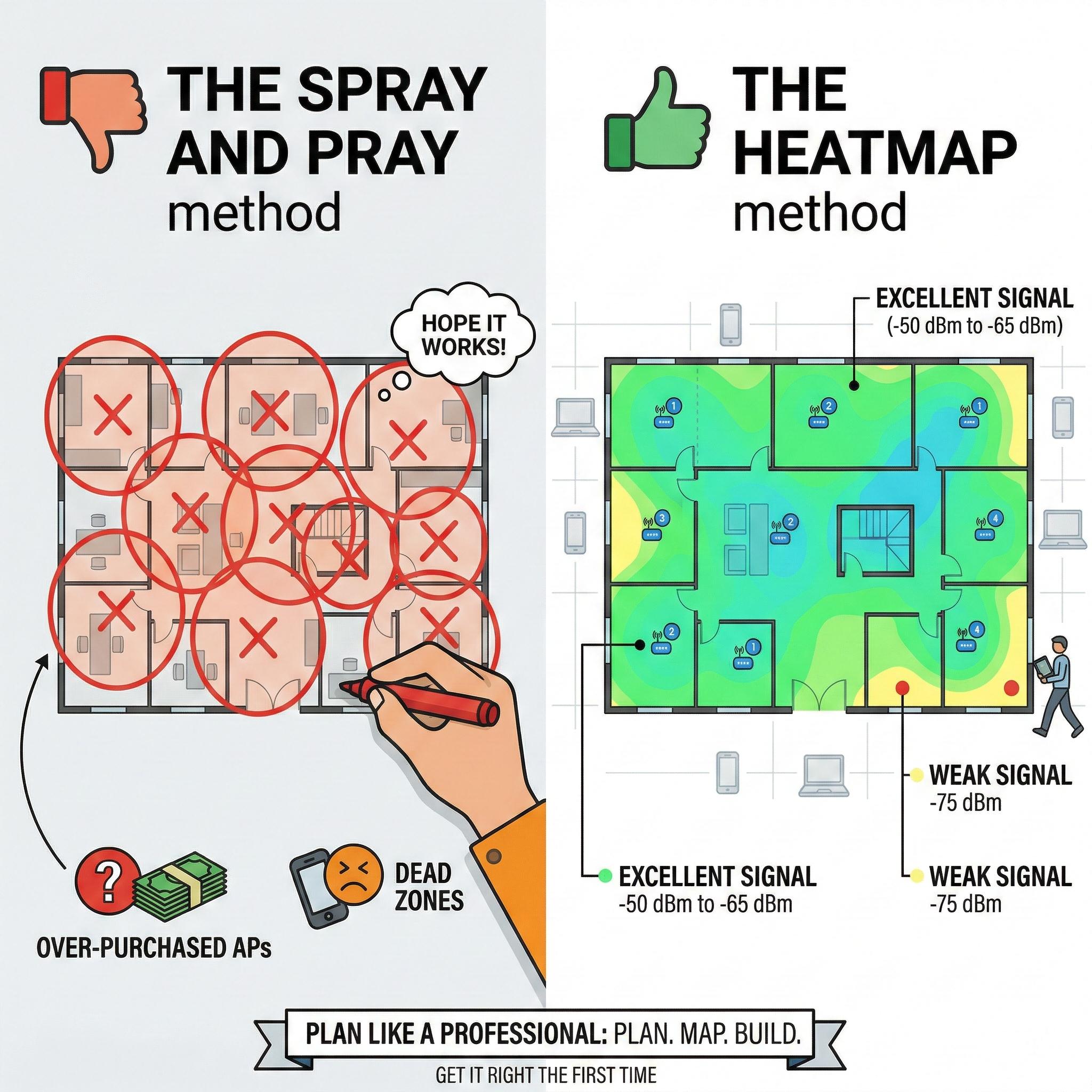
In the enterprise networking industry, there is a dangerous installation method that we call the “Spray and Pray” approach.
This happens when an IT contractor looks at a blank floor plan, draws a circle every 50 feet, and then buys 20 Access Points (APs), hoping everything will work out fine.
Nine times out of ten, this leads to disastrous consequences. Either you over-purchase equipment (sacrificing your profit margins to win the bid), or you under-purchase equipment (leaving signal blind spots and causing angry customers to call and complain).
For system integrators and B2B installers, your reputation depends on getting things right the first time. Before sending a purchase order to Toda, you need to conduct a Wi-Fi heatmap or site survey.
Here is why you should never blindly buy enterprise network equipment, and how to plan your network coverage like a true professional.
What is a Wi-Fi Heatmap?
A Wi-Fi heatmap is a visual representation of the wireless signal strength within a physical space.
Instead of guessing Wi-Fi coverage, you use specialized software to generate a color-coded map. Green or blue usually indicates excellent signal strength (-50 dBm to -65 dBm), while yellow, orange, and red indicate areas with weak or no signal (-75 dBm and worse).
There are two main methods to achieve this:
1. Active On-Site Survey (AP-on-a-Stick)
All you need to do is mount a wireless Access Point on a tripod, power it with a portable battery bank, and then walk around the building with your laptop. The survey software will record the actual, real-time signal strength as you move.
-
The Reality: While this method is highly precise, it is extremely time-consuming. Furthermore, it cannot be used if the building is still under construction.
2. Predictive Design (Off-Site Simulation)
This is the method most professionals use during the bidding stage. You import the architect’s CAD files or PDF floor plans into software tools (such as Ekahau, Hamina, or free alternatives). You tell the software the locations and materials of the walls, and then “virtually” place APs on the map to see how the signal will perform.
Why Guessing Fails: The Physics of Walls
Why can’t we just use the “coverage radius” specified in the AP datasheet? Because datasheets are based on testing APs in wide-open spaces, and buildings are never wide-open spaces.
-
Drywall/Plasterboard: Barely reduces Wi-Fi signal strength. You may only experience a loss of 1 to 3 dB.
-
Bricks: The signal drops significantly. You will lose approximately 8 to 15 dB.
-
Concrete and Steel: Concrete eats 5GHz signals for breakfast. Elevator shafts and concrete stairwells are veritable black holes for Wi-Fi.
If you install a high-powered Toda ceiling-mounted AP in a hallway surrounded by concrete walls, the signal will shoot straight down the hallway, but the neighboring rooms will receive almost no coverage. Heatmap software uses mathematical calculations to determine this “attenuation” (signal loss), allowing you to accurately understand signal propagation before laying a single Ethernet cable.
Capacity vs. Coverage: The Modern Challenge
Ten years ago, heatmaps were only used to measure signal coverage (“Can I get two bars of Wi-Fi in my corner office?”).
Today, heatmaps primarily focus on capacity (“Can 500 people in this conference room stream 4K video simultaneously?”).
When building predictive designs, user density must be your top consideration. Even in a university lecture hall where the signal is perfectly green, a single Wi-Fi 5 access point will crash if 200 students try to connect at the exact same time.
In your heatmap planning, you will often find that you need to reduce the transmit power of your APs and increase the total number of APs to handle network capacity. This is precisely where Toda’s Wi-Fi 6 High-Density APs excel, utilizing OFDMA technology to effectively eliminate network congestion.
How Toda Supports Your Network Design
As a hardware manufacturer, we understand that the performance of our wireless APs depends entirely on the skill level of the engineers who install them.
When you work with Toda, we don’t just sell you hardware and disappear.
-
Precise Hardware Configuration: We provide the precise antenna radiation patterns and hardware specifications for our APs so you can input them directly into your simulation software.
-
Pre-Sales Engineering Support: Are you competing for a large hotel or warehouse project? Send us your floor plans. Our engineering team can help you analyze and predict heatmaps, recommending the most cost-effective combination of In-Wall APs, Ceiling-Mounted APs, and PoE Switches based on your exact budget.
Stop guessing. Start designing.
Ready to plan your next big installation project? Contact the Toda B2B Support Team today for our product data sheets and professional consulting services.
Post time: Feb-28-2026


