
You’ve just won the contract to upgrade the security system of a commercial warehouse. The plan looks great until the client points to the main entrance gate 300 meters away and says, “I need to install a 4K PTZ camera on that pole.”
Between the main building (where your Network Video Recorder is located) and that pole is a paved road and a busy parking lot.
You have two options:
-
Trenching: Hiring a construction team to dig up the asphalt, lay conduit, run fiber optic cables, and then repave the road. This work will take several days, cost thousands of dollars, and completely erode your profit margins.
-
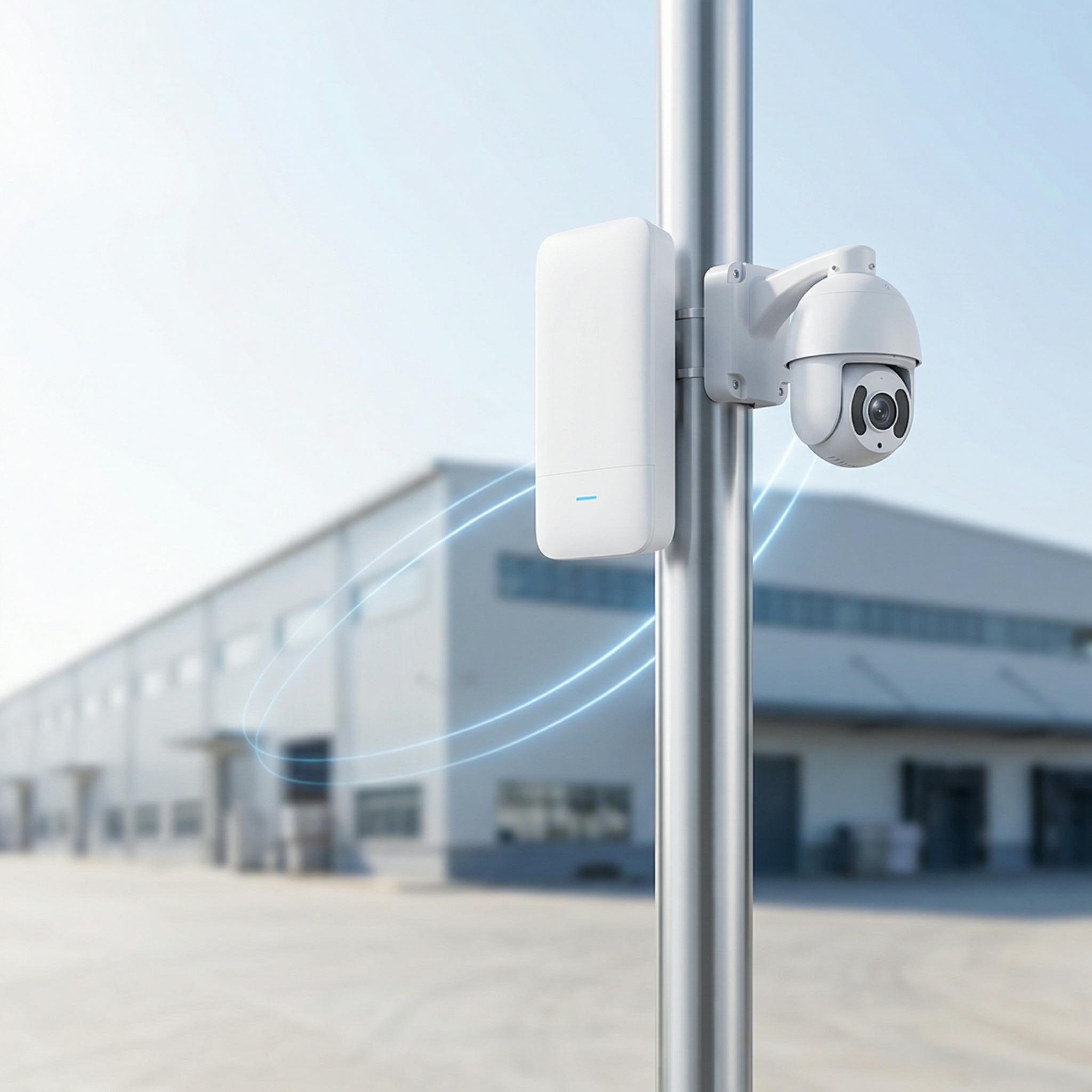
Wireless Backhaul: Installing a pair of wireless bridges to transmit the camera footage flawlessly through the air in under 30 minutes.
For modern security integrators, knowing how to deploy wireless bridges (CPEs) for CCTV backhaul is an essential skill. Toda supplies thousands of these devices to security contractors worldwide. Below is a professional guide to ensure a successful deployment without dropping a single video frame.
The Golden Rule of CCTV: It’s All About the “Upload”
When standard Wi-Fi is deployed in an office, 90% of the traffic is download traffic (people pulling websites and videos from the internet).
Closed-Circuit Television (CCTV) surveillance networks are the exact opposite. IP cameras continuously push large amounts of video streams to the Network Video Recorder (NVR). This is a 100% upload environment.
A standard 4K IP camera requires a sustained upload bandwidth of 8 to 12 Mbps. If you mount four such cameras on a distant pole, that single location alone requires a rock-solid uplink of at least 50 Mbps. Inexpensive home Wi-Fi extenders are completely inadequate for this task; they will choke under the continuous uplink data, causing the video on the security monitor to stutter, become pixelated, or freeze completely.
Architecture: Point-to-Point (PtP) vs. Point-to-Multipoint (PtMP)
Depending on the site layout, you will use one of two architectures:
-
Point-to-Point (PtP): You have one remote location (such as a single gate). You install a Toda wireless bridge on the main building and point it directly at a second Toda bridge on the gatepost. They work exactly like an invisible high-speed Ethernet cable.
-
Point-to-Multipoint (PtMP): Let’s say you need to install cameras on four different light poles spread across a massive parking lot. Instead of buying four separate pairs of bridges, you install a single Toda Sector Base Station on the main building’s roof. Then, you install one bridge (CPE) on each of the four light poles, with all of them pointing back toward the main building’s roof.
Best Practices for a Flawless Installation
We have seen far too many installers blame problems on the hardware when the real issue lies in the installation method. If you want a zero-maintenance monitoring system, follow these three rules:
1. You Must Ensure a Clear Line of Sight (LOS)
Wireless bridges require an unobstructed visual path between the two antennas. We’re not just talking about buildings; we’re talking about trees. Installing a 5GHz bridge in the winter when the trees are bare might result in excellent signal strength. However, when spring arrives, the dense foliage will block the signal path, and the moisture inside the leaves will absorb the 5GHz waves, knocking the cameras offline. Always install the bridges high enough to avoid future foliage growth and tall parked trucks.
2. Choose the Right Frequency (5GHz vs. 2.4GHz)
-
Use 5GHz (Highly Recommended): The 5GHz band offers massive bandwidth and is completely unaffected by standard office Wi-Fi or Bluetooth interference. It is the gold standard for crisp, high-resolution CCTV video.
-
Use 2.4GHz (Only When Desperate): The 2.4GHz band has a slightly better ability to penetrate physical obstacles. If you have absolutely no choice but to shoot through some thin tree branches, 2.4GHz might maintain a connection, but your total bandwidth will be severely limited.
3. Plan Your PoE Strategy
How do you power the remote cameras and the wireless bridge on an isolated pole? The smartest approach is to mount a small Toda Industrial-Grade PoE Switch on the remote pole, housed inside a weatherproof enclosure. This single switch can power both the IP cameras and the wireless bridge simultaneously. The camera sends data to the switch, the switch passes it to the bridge, and the bridge beams it back to the NVR. (Special Note: For elevator shafts, we provide a specific pre-paired bridge kit that completely eliminates the need for messy, fragile trailing cables inside the elevator car.)
Why Security Installers Rely on Toda
If a security camera goes offline during a break-in, the installer faces severe liability. You need hardware you can trust.
Toda’s 5GHz wireless CPEs are engineered specifically for video surveillance backhaul:
-
Hardware Toggle Pairing: Most of our bridge kits feature physical toggle switches. Simply flip one switch to “Master” and the other to “Slave.” They pair automatically, completely eliminating the need to open a laptop and configure IP addresses while standing on a windy roof.
-
Hardware Watchdog: Our firmware includes an automatic self-healing feature. If the bridge detects a system freeze, it will automatically reboot itself within seconds, minimizing video loss and eliminating the need for an expensive truck roll.
-
True IP65/IP67 Enclosures: Built to withstand the brutal erosion of intense UV sunlight, freezing rain, and coastal salt spray.
Stop Digging Trenches. Get the Job Done.
If you are planning to upgrade the security system across a commercial campus, agricultural farm, or sprawling parking lot, send us your site plan. The Toda engineering team will assist you in designing the perfect wireless backhaul link solution.
Post time: Mar-27-2026


